Game Record Checks for Malaysia
Boda8 Game History Guide: Round IDs, Interrupted Games and Balance Checks
Learn how to read Boda8 game history, record a Boda8 round ID, check an interrupted game and reconcile the result with your account balance.
Check the round before judging the balance
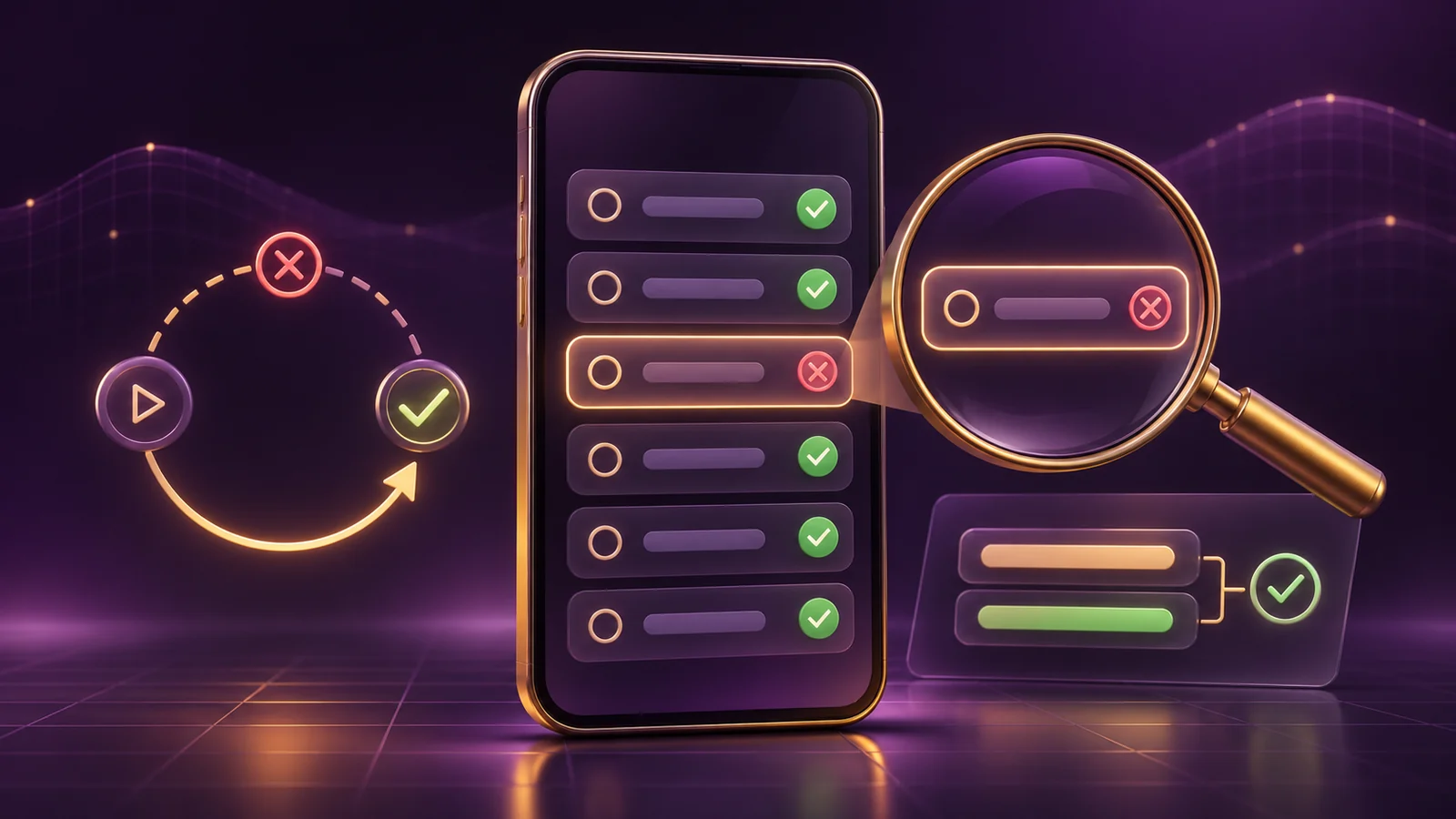
A frozen or interrupted screen does not show whether a game round completed. Check the event record instead: match the exact game and time, copy the round ID, note the stake and returned amount, then compare the balance entries immediately before and after it.
Do not press the same action again while the first round is unclear. The result may already be recorded even though the final animation never appeared, or the record may still be unresolved. Replaying creates another entry and makes the original balance movement harder to isolate.
Write down the interruption time and save a cropped screenshot of the message, with private details removed. Return through the verified Boda8 route, find one matching round, and work from that record. If the stable record and the balance still disagree, send support one focused request using the same round reference.
The steps below help you organise the record that is visible to you. Menu labels and available fields may differ by device or game provider, and only the current record, applicable game rules, terms and verified support can decide a specific case.
Register Now
Registration does not resolve an existing round
Use this only if you intend to open a new account. Registration cannot recover an interrupted round, edit its record or change an existing balance.
Visit Boda8 NowWhat game history covers
Game history is for individual casino-style events such as slots, fishing titles, live casino tables and other digital games. Use it to identify one round, read its recorded result and compare the related balance movement.
For sports bets, use the Boda8 Bet History Guide. A sportsbook entry is organised around an event, market, selection, odds and settlement status, while a casino-style entry usually centres on a game cycle, table or session, timestamp and round reference.
For login, payment or bonus issues that are not tied to one game round, start with the Boda8 Troubleshooting Guide. Keeping these records separate makes it easier to send the right evidence to the right support route.
Where to find the game record
Menu names can differ between desktop, mobile browser and a provider window. Sign in through the verified Boda8 route, open the current account, profile or records area, then look for Game History, Game Records, Transaction Records or the nearest equivalent.
- Use the verified route: open Boda8 from the address you have already checked, not from an unsolicited chat or search advert.
- Open the records area: choose the current account, profile, history or transaction option.
- Set the time window: filter to the date and approximate time of the interruption.
- Match the identity: check the exact game title and provider before comparing money fields.
- Open the detail: expand the individual entry if the interface offers a detail view.
- Copy the reference: save the full Boda8 round ID without changing its characters.
If the list is long, narrow it one field at a time: date, time, title, provider and stake. An amount alone is not enough because separate rounds can share the same stake. If the device and record use different time zones, widen the search window and keep both displayed times.
A game window may show recent rounds while the account area shows a broader ledger. Compare the two views, but only treat them as the same event when the identifiers, times and amounts line up.
How to read one game-history entry
Start with six questions: which game, when it happened, which round it was, what stake was recorded, what amount came back and what status is shown. These fields let you trace one event without relying on the colour of an icon or the last frame of an animation.
| Field | What to copy | Why it matters | Do not assume |
|---|---|---|---|
| Game identity | Exact title and provider | Separates similarly named games | Artwork alone identifies the record |
| Time | Date, clock time and displayed zone | Narrows the search window | Device and server time always match |
| Round identifier | Full Boda8 round ID | Gives support one precise reference | A screenshot filename is the identifier |
| Stake | Amount recorded for that round | Starts the balance calculation | The button value is always the final stake |
| Returned amount | Amount credited for that round | Separates return from net change | A “win” label always means profit |
| Status | The exact current wording | Shows whether the record is resolved | Every provider uses identical terms |
The round ID is usually the best locator when one is supplied, but support still needs context. Copy the title, provider, timestamp and amount as well. A missing character can make an ID useless, while an ID with no date or title may be slow to trace.
Read “returned amount” literally. If a round records an RM5 stake and an RM2 return, the simple net change is minus RM3 before any separate wallet movement. The RM2 return is not an RM2 profit.
Copy the status exactly as shown rather than translating it into “failed” or “lost.” If the field is absent, write “no status shown.” That is more useful than guessing.
What to do when a game is interrupted
A connection loss, browser restart, closed app or frozen stream can interrupt the display without cancelling the game cycle. The UK Gambling Commission's interrupted-gambling standard distinguishes between outcomes already determined, single-stage events interrupted before an outcome and stateful games that may need restoration. It is a general benchmark for its regulated market, not a rule for how a particular Boda8 round must be resolved.
- Stop and note the time. Do not press the same action repeatedly while its status is uncertain.
- Capture the visible state. Save the title, clock time and exact error text, while excluding passwords, OTPs and unrelated personal data.
- Return safely. Reopen the verified Boda8 route instead of following a recovery link sent by an unknown contact.
- Open the record window. Find the game-history period covering the interruption.
- Match title, provider, time and stake. Similar amounts alone are not enough.
- Copy the round ID. Keep the entire value and any prefix.
- Read the recorded result. Note the returned amount and the exact status currently shown.
- Reconcile the balance. Compare the ledger before and after this one event.
- Refresh only when useful. If the record clearly says it is updating, reload the account view once. Do not assume a fixed settlement time.
- Escalate one documented round. Use verified Boda8 support when the stable record and balance still conflict.
A refresh may update what you see, but it does not rerun or improve a result. Replaying also cannot test the interrupted round. It creates a new record and makes the balance window harder to read, so keep the first identifier isolated until its status is clear.
If the game offers a resume option, read the current rules before using it. A multi-stage feature may preserve state while a single-stage result may already be final. Do not assume there will be a refund, replay or instant credit.
How to reconcile one round with the balance
Use a narrow time window in the account ledger. The basic check is: balance before minus the recorded stake plus the recorded return gives the expected balance after. This calculation organises the evidence; a mismatch by itself does not prove what caused it.
The balance before the round is RM100. The record shows an RM5 stake and an RM2 return, so the expected balance after is RM97: RM100 - RM5 + RM2. If the display shows something else, check the surrounding entries and wallet type before reporting a discrepancy.
Start with a balance value from the same ledger, not your memory of the game screen. Copy the stake and return from the matching entry, then inspect the next account movement. If several events occurred in the same minute, list them in time order.
Cash and bonus balances may be separate, and a transfer between product wallets can appear near the round. Do not fold a deposit, withdrawal, rebate or bonus adjustment into the game return unless the records explicitly connect them. For payment-side records, use the Boda8 Deposit and Withdrawal Guide.
Your phone may show Malaysia time while a provider record uses a server zone. Keep both displayed times instead of editing the screenshot. If the numbers still disagree, describe only what you can verify: “The game entry shows X, while the account balance moved from Y to Z.”
How slots, fishing and live casino records differ
The evidence available can change by category and provider, but the aim stays the same: identify one event. The Boda8 Slots Guide, Boda8 Fishing Games Guide and Boda8 Live Casino Guide explain how the game formats work. The comparison below is only about their records.
| Category | Identity to prioritise | Interruption clue | Extra item to capture |
|---|---|---|---|
| Slots | Title, provider and round reference | Reel animation stops or a reconnect screen appears | Feature or bonus-round state if shown |
| Fishing | Title, room or table and round or session reference | Connection drops during an active scene | Weapon or stake level shown at the time |
| Live casino | Table, game round and timestamp | Video freezes while the table continues | Table name and displayed result |
| Other digital tables | Title, rule variant and identifier | The result panel fails to load | Selected table or rule variant |
A live video stream and a game result can follow different data paths. The video may freeze while the table continues, and a slot animation can stop after the result has already been recorded. For fishing titles, the room or session reference may matter alongside the round ID.
A different layout is not proof of a fault. If a field is unavailable, say so and rely on the title, time, stake, result and identifiers you can verify.
Register Now
Keep registration separate from record review
Opening a new account is separate from reviewing a past round. It will not change that round, its balance entry or an existing support case.
Visit Boda8 NowHow to handle missing, duplicate or incomplete rounds
Missing: if no match remains after checking the title, provider, time range and displayed zone, clear active filters and widen the range once. Do not create another round just to see whether history starts working. That only adds noise.
Duplicate: two similar rows are not automatically duplicates. Compare their round IDs, timestamps, stages and wallet fields. A base round and a feature stage may have separate references. If the same identifier appears with conflicting values, save both entries without editing them.
Incomplete: save the current status, returned amount and check time. There is no verified universal delay for every provider, so a fixed waiting promise would be misleading. If the entry later changes, keep both states and tell support which one appeared first.
What evidence to save without exposing private data
Keep only what identifies the event: title and provider, displayed date and time with zone, full round ID, stake, returned amount, status, relevant balances, exact error text, and device or browser type. A screenshot can back up your notes, but copied fields are easier to quote accurately.
Exclude your password, OTP, payment PIN, full bank or e-wallet details, unrelated history, and any identity document unless verified support requests it through a secure process. One cropped, unedited entry is usually more useful than a recording of every account page. Never merge two rounds or alter their amounts and timestamps.
How to write a support request that can be checked
Use the current verified support route and describe one disputed round. The UK Gambling Commission's public complaint guidance also starts with contacting the business and supplying useful records. That guidance does not regulate Boda8, but the evidence habit is practical: give dates, times, amounts and identifiers instead of a broad accusation.
I'm checking one game round from [date and time, including zone]. The game was [title and provider], the Boda8 round ID was [complete ID], the recorded stake was [amount], and game history currently shows [status and returned amount]. My balance before the round was [amount] and the balance shown after it was [amount]. The interruption displayed “[exact error text].” Please review this specific round and confirm its final recorded result.
Attach only what is needed for that event and keep the case reference. Reply to follow-up questions using the same round ID rather than opening another case. The Boda8 Customer Support Guide covers current help routes and broader account questions.
Never send a password or OTP to prove account ownership. Do not install remote-access software for an unsolicited “support agent,” and do not pay a fee to release a result. Recheck the domain before sending account details. A genuine review can begin with the record fields without asking for your login secret.
How to check a delayed record on mobile
Confirm that you returned to the same verified domain and account. Close duplicate game tabs, reopen the records area and set the date range again. Note the browser or app version, connection type and interruption time. A network switch may explain why the display disconnected, but it does not decide the recorded result.
If a table is wider than the screen, scroll inside the table before deciding a field is missing. Copy the round ID carefully because line wrapping can make one value look like two. For wider device checks, use the Boda8 App vs Mobile Browser Guide.
When to stop checking and take a break
Do not replay a title to see whether an interrupted result will repeat, and do not increase the stake to recover a disputed amount. Stop play while a balance conflict is unresolved. This keeps a technical check from becoming loss chasing.
The World Health Organization notes that gambling can cause financial and mental-health harm, and identifies limits, breaks and self-exclusion as protective measures. The Boda8 Responsible Gaming Guide explains limits, breaks and account controls. Historical records can help you review activity, but they cannot predict the next result.
If you find yourself checking the same record repeatedly, pause and send support one message using the evidence you already have. A new round will not repair the old one. The Boda8 RTP and Volatility Guide explains why past outcomes do not signal what happens next.
A seven-step game history checklist
- Stop: do not repeat the action while the first round is unclear.
- Identify: record the exact title, provider, time and displayed zone.
- Locate: find the matching game-history entry.
- Copy: save the complete round reference and current status.
- Compare: check recorded stake, return and relevant balance entries.
- Protect: remove passwords, OTPs and unrelated private data.
- Escalate once: send one clear record through verified Boda8 support.
One exact record with a clear calculation is more useful than a folder of screenshots with no identifier. If a field is unavailable, say so. If the entry is resolved and the balance matches, the check can end there.
Boda8 game history FAQ
What is a Boda8 round ID?
A Boda8 round ID is the unique reference attached to one recorded game round when the current provider or interface supplies it. It helps the support team locate the exact event and is stronger evidence than a screenshot of the game screen alone. Copy the complete identifier without shortening or editing it.
Where can I find Boda8 game history?
Look in the current signed-in account, profile or records area for Boda8 game history, game records, transaction records or the closest equivalent. Labels can vary by device and provider. Filter by date and time, then match the exact title before relying on an amount or status.
What should I do if a Boda8 game is interrupted?
Stop repeating the action, note the time and save a privacy-safe screenshot. Return through the verified Boda8 route, find the matching record, copy its round ID, check the result and returned amount, then compare the relevant balance entries. Contact verified support if one documented round still conflicts.
Why can the balance and game screen appear different?
A screen animation can stop before the underlying record finishes updating. Separate cash and bonus fields, another nearby transaction, a time-zone difference or a delayed display refresh can also create an apparent mismatch. Compare the exact round record with the relevant account entries instead of judging the animation alone.
What if a Boda8 round is missing or appears twice?
Check the exact title, provider, displayed time zone, stake and identifiers. Two similar rows can represent separate stages or records, so do not call them duplicates until the IDs match. If no clear answer remains, preserve both entries and ask support to review one specific time window.
What should I send Boda8 support about a game round?
Send the title and provider, date and time with time zone, full round ID, recorded stake, returned amount or status, relevant before-and-after balances and the exact error text. Never send a password, OTP, payment PIN or full bank or e-wallet details in a normal support message.
These public benchmarks support the record-checking, interruption and safer-play principles used above. They do not regulate, certify or establish the legal status of Boda8, and they do not prove that a particular provider uses the same technical design.
- Gaming Laboratories International standards library: GLI-19 is an industry technical benchmark for interactive systems, game-cycle records, recall and interruption handling.
- UK Gambling Commission RTS 1: current balances and gambling or account history in its regulated market.
- UK Gambling Commission RTS 10: general fairness, recovery and information principles for interrupted gambling.
- Malta Gaming Authority Compliance Audit Manual: audit fields including game times, balances, status, result and unique transaction identity.
- UK Gambling Commission complaint guide: contacting the business first about a disputed transaction, service or IT issue.
- UK Gambling Commission activity-history guide and World Health Organization gambling fact sheet: reviewing activity, noticing patterns, limits, breaks and self-exclusion.
Menu labels, record retention, round-ID availability and provider fields can change. Keep the exact record shown to you, then rely on current terms and verified support for a real incident.
How to close a game-record check
End the check when you can match the title and time, copy the round ID, read the recorded stake, return and status, and reconcile the same balance window. If the record and balance agree, no further action is needed.
If they still disagree, preserve the unedited evidence and send one request through verified support. Keep private data out of the message and avoid creating more rounds while the first remains unresolved. You do not need to guess the cause before the record is reviewed.
Registration Is a Separate Step
Keep a record check separate from new play
This button opens registration. It cannot settle an existing round, correct a balance or replace a support review.
Visit Boda8 Now