
Open Fund
From the signed-in account, use Fund to reach the wallet and rebate controls.
Boda8 Account Feature
Use this page to recognise the signed-in Rebate panel. The detailed Guide owns the before-claim record, after-claim check and support path.
Visit Boda8 NowVisible Account Interface
The captured account view shows Rebate, Total Pending Claim, Last update, Last claimed, History and Claim All. These are interface labels, not a promise of eligibility, rate or processing time. Your signed-in account controls the current values and claim status.
Visit Boda8 Now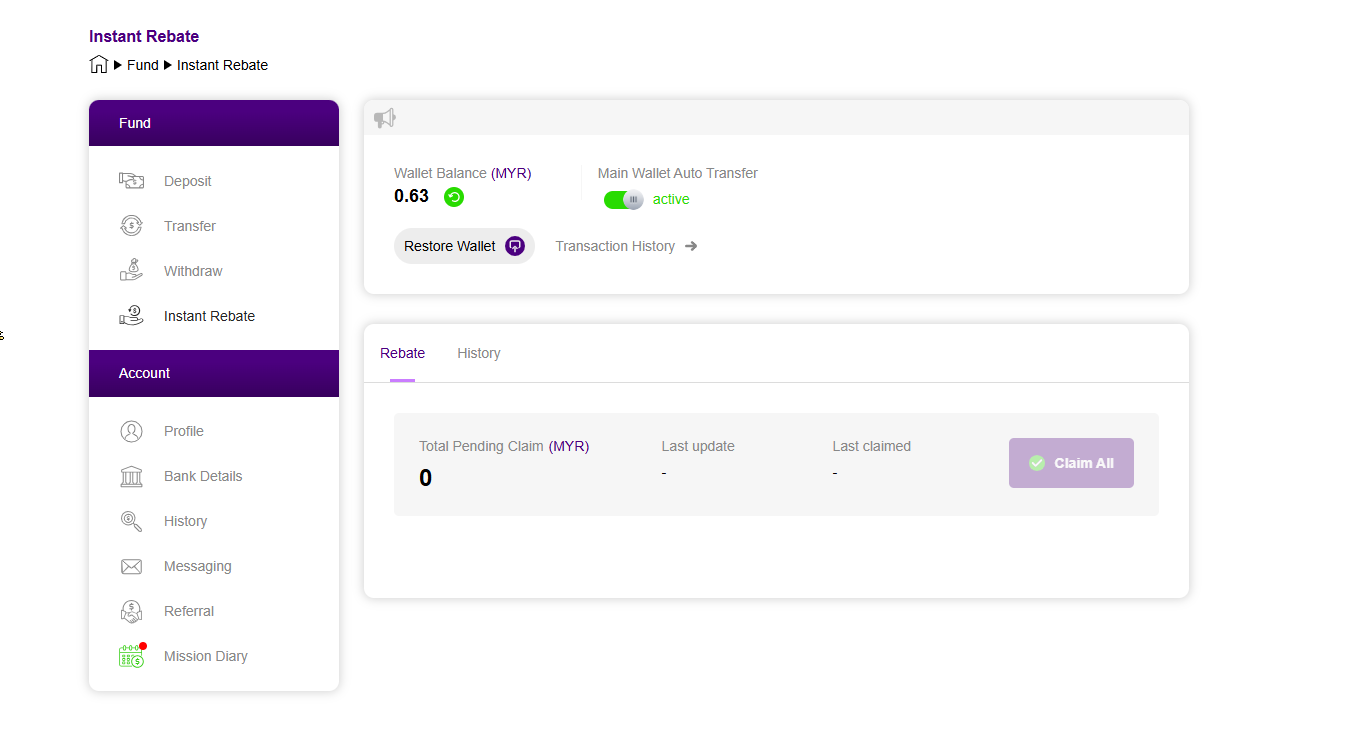
Landing Page to Full Guide
This page stops at navigation. The Guide explains what to record before you use Claim All, what to verify afterward and how to prepare one masked support case if the result does not match the account record.
From the signed-in account, use Fund to reach the wallet and rebate controls.
Open Rebate and confirm that the panel shows your current pending information.
Note Total Pending Claim, Last claimed and History, then follow the Guide's before-and-after checks.