Scam and Impersonation Safety for Malaysia
Boda8 Scam Prevention Guide: Avoid Phishing, Fake Support and Account Theft
Recognise a Boda8 scam attempt, check suspicious links and fake support claims, and respond without exposing passwords, OTPs or payment details.

Stop the conversation and verify the claim yourself
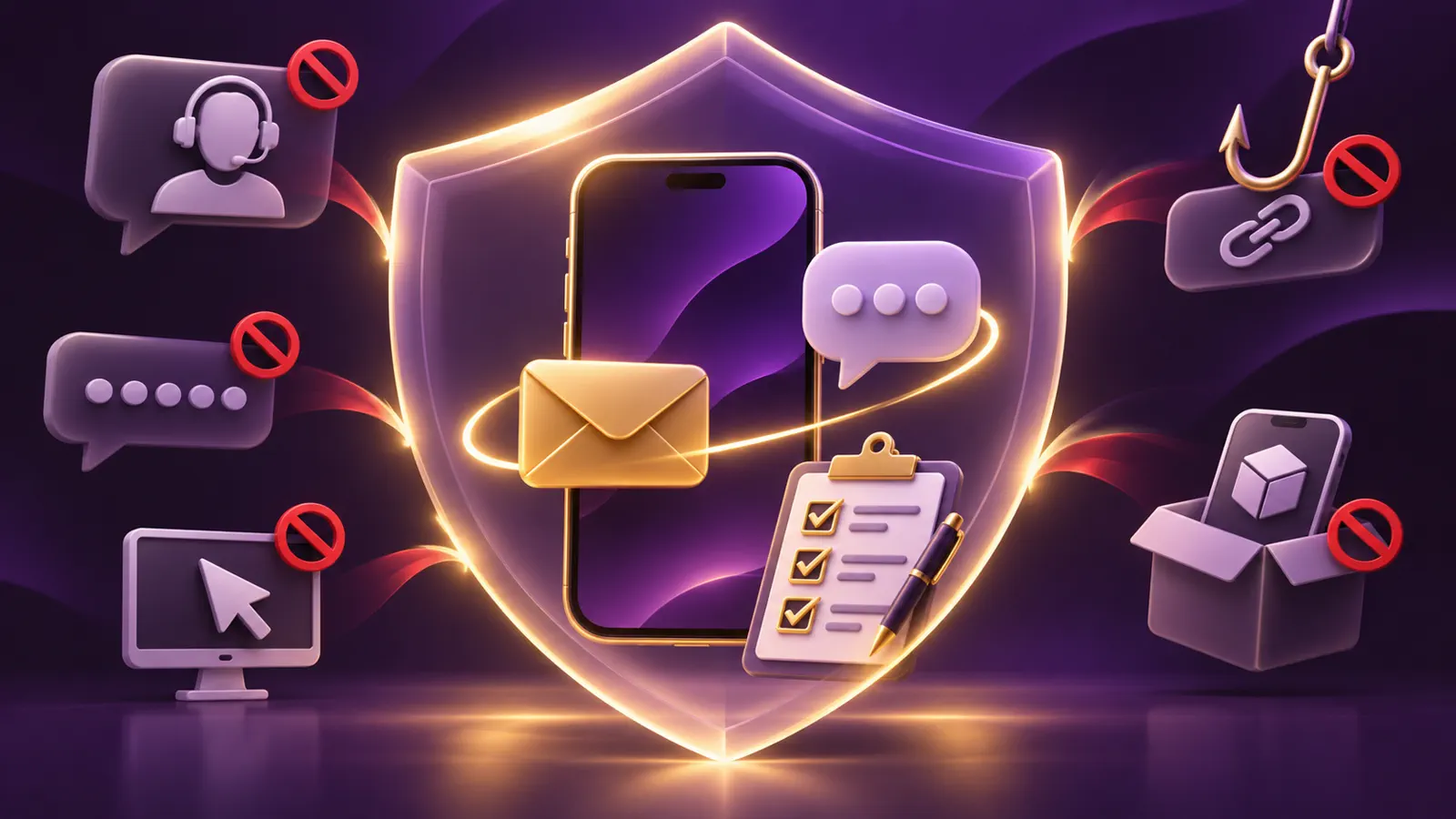
A possible Boda8 scam attempt works best when it keeps you inside the attacker's message, call or chat. Step out of that channel. Do not reply, tap its link, scan its QR code, install its app or call the number it supplied. Open the Boda8 route you already know, or begin with the site's independent link-verification checklist, and check the claim from there.
Keep the account password, one-time password, recovery code and payment PIN private. A convincing logo, profile picture or earlier account detail does not prove identity. Boda8 phishing can copy a familiar layout and fake support can repeat information gathered from public posts, leaked data or an earlier conversation. This Boda8 guide does not accuse the service of wrongdoing or say its systems were breached. It explains how criminals may impersonate a recognisable brand.
- Stop and verify: Close the suspicious contact, open the verified Boda8 route on a device you trust, and protect the connected email if it may be exposed.
- Secure access: Change a reused or disclosed password and review only the account controls currently available.
- Document and report: Save a redacted timeline and contact verified support. Do not pay a fixer or give anyone remote access.
Registration Is Separate
A new registration does not fix a security concern
This button opens registration. It cannot verify a message, restore an existing account or reverse a suspected Boda8 scam.
Visit Boda8 NowHow a scam impersonating Boda8 creates pressure
Most social engineering and impersonation attempts combine a believable event with an artificial deadline. The story may say a Boda8 login failed, a bonus will expire, a withdrawal is frozen, KYC must be repeated or an account will close. The event may sound possible; the demanded action is the real test. Pressure to leave the verified route, disclose a secret or install something is a reason to stop.
Another pattern begins with an unsolicited “helper.” A contact may claim to be an agent who can speed up a payment, recover a lost account or unlock a reward. It may offer a refund after an advance fee or ask to move the conversation to WhatsApp, Telegram or a private call. A Boda8 scam attempt can also follow a public complaint, when an impersonator replies before the genuine support route does.
| What the contact says | Warning sign | Safer response |
|---|---|---|
| “Verify now or the account closes” | A short deadline and a supplied link. | Open the known Boda8 route yourself and check the signed-in notice area, if available. |
| “Read me the OTP to cancel a withdrawal” | The code may authorise the very action being described. | Keep the code private and contact verified support independently. |
| “Install this security APK” | Unofficial software can steal messages or overlay login screens. | Do not install it; use the app and mobile-browser guide to evaluate access choices. |
| “Pay a fee before we recover funds” | An upfront payment to a private recipient. | Stop, preserve the request and use the official payment provider or verified support route. |
| “Let me control your screen” | Remote access and screen sharing expose codes, documents and payment apps. | Refuse, disconnect and use a trusted device for the next steps. |
Grammar alone is not a reliable filter. Some Boda8 phishing messages are polished; genuine service notices can be brief. Judge the route and requested action, not how professional the message looks. Search placement is not proof either, because advertisements and look-alike pages can appear above an expected result.
Verify the Boda8 route without using the message
Do not rely on a shortened URL, a search advertisement, a social-media bio or a QR code supplied by the contact you are investigating. Before any Boda8 login, inspect spelling, extra words, unexpected subdomains and unusual top-level domains. A password manager that normally recognises the destination but does not offer the saved login is another reason to stop and recheck.
After reaching the verified Boda8 route, compare the claim with what the current interface actually shows. Labels and controls can change, so this guide does not assume a permanent message centre, device list or security page. If no matching notice appears, do not return to the suspicious link for “confirmation.” Use the login and registration guide for the normal access sequence and the troubleshooting guide if the known page itself will not load.
A Boda8 phishing page may ask for more information after accepting any value, which can make it appear legitimate. Do not test a doubtful form with a real password, an old password or another person's details. Close it and preserve only safe evidence, such as the displayed address and time.
How to spot fake Boda8 support
Fake support often arrives first, sounds unusually certain and offers a shortcut. It may promise instant recovery, guaranteed release of a withdrawal or removal of KYC checks. No outside contact should be trusted merely because it knows a username, recent complaint or partial transaction detail. Verify support by opening the Boda8 platform independently and using the help route currently shown there.
A fake Boda8 support profile may copy names and graphics or create a group containing several accounts that appear to confirm its story. Treat testimonials inside the same channel as unverified. If the contact claims an emergency, ask no further questions there. Record the profile identifier and claimed reason, leave the channel, then use the customer-support guide to prepare one privacy-safe case.
Do not pay an “account unlock,” “verification,” “tax” or “recovery” fee to a personal account supplied in chat. A Boda8 scam attempt can continue after the first loss by posing as a recovery service. A second promise does not validate the first claim, and an upfront fee does not prove that funds can be returned.
Recognise Boda8 phishing in email, chat and search
Boda8 phishing is a delivery method, not just a badly written email. A lure can appear in SMS, messaging apps, social media, sponsored search results, QR images, pop-ups or a copied login page. It may claim a login alert, bonus expiry, payment review, document problem or account suspension. The goal is usually to capture a password or code, persuade you to install software, or redirect a payment.
Check the real destination before interacting. On a desktop, hover only when it is safe to preview a link; on mobile, avoid long-pressing if that risks opening it. The safest option is to ignore the supplied route and navigate independently. Do not download an attachment or APK presented as a Boda8 update, verification tool, payment helper or anti-fraud scan.
MyCERT has warned Malaysian users about malicious Android packages distributed through advertisements and messaging links. Such software can imitate a trusted screen, read notifications or interfere with SMS. That general warning does not prove any particular Boda8 app is malicious. It means an unofficial download offered by an unknown sender should not become the way you access an account.
A suspected Boda8 phishing message should be treated as evidence, not as a conversation to win. Record the sender display, underlying address or number, Malaysia date and time, and the non-secret wording. Do not send a warning reply, because a response can confirm that the account or phone number is active. Block or report the contact only after you have retained what a legitimate support or incident report may need.
Do Not Use Registration for Recovery
Keep a suspected Boda8 scam separate from sign-up
This button opens a new-account form. It cannot inspect a link, remove malware, restore an account or validate a support contact.
Visit Boda8 NowProtect the password, email, phone and device
A unique password limits the damage if credentials from another service are exposed. Give Boda8 a password or passphrase that is not reused for email, banking, social media or another gaming account. A reputable password manager can generate and store it. Follow the current form's accepted length and character rules rather than assuming that an old screenshot still applies.
The connected email deserves equal attention because it may receive reset messages. Give it a separate password and use the security options its provider currently offers. Google's public security guidance recommends reviewing recovery details, unknown apps and browser extensions, while NIST explains that manually entered OTPs are not phishing-resistant. Those are general principles, not claims that Boda8 offers a specific second factor or device control.
Never read an OTP aloud, forward it, place it in a screenshot or enter it in a form opened from an unexpected message. A caller may describe the code as a cancellation or verification step when it actually approves access. If an unexpected code arrives, open the Boda8 account directly and check what is available. The existing account-security guide covers passwords, OTP handling and login-alert context in depth.
Keep the phone and browser updated, remove extensions you do not recognise and avoid signing in on shared devices. If you must use a shared browser, do not save credentials and sign out when finished, but remember that a compromised device may still record information. A Boda8 scam response should begin on a device you trust, not on the device an unknown contact asked you to configure.
Check for account-takeover warning signs
One strange message does not prove that a Boda8 account was accessed. Look for a combination of evidence: a password reset you did not request, changed contact details, unfamiliar activity, an unexpected payment instruction, or an inability to sign in with credentials you know were current. A new location alone can be imprecise, especially on mobile networks.
Check the connected email for unfamiliar forwarding rules, filters, recovery addresses or signed-in devices. The UK National Cyber Security Centre specifically recommends checking forwarding and filters after an email compromise because attackers may hide security notices. Use the email provider's own security route, not a link inside the suspicious message.
If the current Boda8 interface provides activity, session, device or contact-detail controls, review what is actually shown and use the on-screen options. Availability and wording can change. This guide does not claim that Boda8 automatically logs out devices, detects fraud, provides alerts or guarantees restoration. If details changed without permission, preserve evidence and proceed to containment.
What to do after opening a suspicious link
If you opened a possible Boda8 phishing link but entered nothing and installed nothing, close it, check for unwanted downloads and use the device's normal security scan. Update the browser and operating system. Then open the verified route independently. Change a password if the browser auto-filled or submitted it, but avoid repeated changes that make recovery harder to follow.
If you entered a password, replace it from a trusted device and change every account where it was reused. Protect the connected email first when that mailbox could reset the Boda8 account. If you entered an OTP or recovery code, treat it as time-sensitive exposure: secure the accounts, review available activity and contact verified support. Do not ask the suspicious sender whether the code was used.
If you installed an APK, extension or remote-control tool, stop banking, payments and sign-ins on that device. If remote control may still be active, disconnect the device from the network without continuing to use it. From another trusted device, protect the connected email and exposed accounts; contact the bank or payment provider immediately if banking or payment activity occurred. Follow trusted device-vendor guidance or seek qualified local technical help, because software with Accessibility or device-administrator access may resist an ordinary uninstall. A Boda8 scam contact should not guide the cleanup, because its “removal” steps may deepen access.
Contain possible Boda8 account theft in order
Start with the recovery path an attacker could use. Secure the connected email and mobile account, then use the verified Boda8 route. Replace any password that was disclosed, reused or entered on an uncertain page. Check whether visible contact details still belong to you. Where the current interface offers activity, session or device controls, use only the controls and wording that are actually present.
Do not create a second account to work around lost access. It will not restore the original record and may complicate a single evidence trail or support case. Do not repeatedly request codes, because several messages can make it unclear which request is current. Use one deliberate recovery attempt, document the result and move to verified support if it fails.
Preserve the sequence: when the suspected Boda8 scam arrived, what it asked for, what you entered, what changed, and what protective actions you completed. Avoid public posts that reveal the account name, phone number, balance or case reference. An impersonator watching those posts can use the details in a second approach.
Limit payment exposure after a suspected Boda8 scam attempt
If a suspicious contact obtained bank, card or e-wallet information, contact that payment provider through the number or app you independently verify. Explain the transaction or credential exposure factually and follow its current security process. Do not wait for the Boda8 scam sender to approve a cancellation, and do not send another payment to “unlock” the first one.
Record the recipient name, transaction reference, amount, Malaysia time and payment channel without publishing those details. A screenshot can be useful, but crop unrelated balances and mask full account numbers. The deposit and withdrawal guide helps separate normal payment status from a demand made outside the verified account route.
If an unexpected transaction appears inside the account, do not place another transaction to test the balance. Save the visible reference and contact verified support. If the activity is only in the bank or e-wallet, contact that provider as well. Each organisation can review its own records; a private recovery agent cannot authorise a bank reversal.
Keep emotional and financial boundaries after an incident. Chasing losses or paying repeated “release” fees can turn one Boda8 scam attempt into a longer harm cycle. The responsible-gaming guide explains limits, breaks and account-control questions where continued activity is becoming stressful.
Save evidence without saving secrets
Useful evidence is a short, chronological record. Note the Malaysia date and time, channel, sender identifier, displayed address, exact non-secret wording, action requested, page visited, information entered and changes noticed. Keep the original transaction or support reference where one exists. Do not edit a screenshot so heavily that the timestamp or page context disappears.
Redact passwords, OTPs, recovery codes, identity numbers, full bank details, QR payloads and unrelated balances. Never create a screenshot of a live secret just for evidence. If a document was sent, record which document and where it went instead of circulating another copy. Evidence should help investigate a Boda8 phishing incident without creating a fresh privacy risk.
Store the evidence somewhere the suspected attacker cannot access. Use descriptive filenames and keep one master timeline rather than sending different versions to several unverified contacts. If you later report the suspected Boda8 scam attempt to support, a payment provider or Cyber999, add each case reference and response date to the same record.
Report through verified Boda8 support and Cyber999
Reach support from the verified Boda8 route, not from a phone number, chat handle or link supplied by the person you are reporting. Start with a masked account identifier, Malaysia date and time, device and browser, the claimed channel, the exact non-secret message, what was clicked or entered, and whether access or contact details changed. Ask for the next verified step.
For a Malaysian cyber-security incident, Cyber999 is MyCERT's official reporting channel for Internet users to report or escalate computer-security incidents. It does not operate Boda8, decide an account outcome or guarantee recovery. A police report or payment-provider report may also be appropriate depending on the loss and instructions you receive from the relevant authority.
Describe observable facts, not conclusions you cannot prove. “I entered my password on this displayed address at 14:05” is more useful than “the platform was hacked.” A Boda8 phishing page can steal credentials without any breach of the genuine service. Precise wording helps the reviewer separate impersonation, account access, payment exposure and a normal technical error.
Use this Boda8 scam response checklist
| What happened | Do now | Do not do |
|---|---|---|
| Suspicious message only | Save non-sensitive evidence, verify independently, then block or report. | Reply, argue or follow its contact route. |
| Link opened; nothing entered | Close it, check downloads, update and scan the device. | Return to test whether the page is fake. |
| Password entered | From a trusted device, secure email and replace every reused password. | Make a small password variation or tell the sender. |
| OTP or recovery code shared | Secure access immediately and contact verified support. | Assume expiry means the code was harmless. |
| App or remote tool installed | Stop banking and sign-ins, disconnect if control may be active, then protect accounts from another device. | Assume an ordinary uninstall removed elevated access or follow the same contact's cleanup steps. |
| Payment sent or details exposed | Contact the independently verified payment provider and preserve references. | Pay a second fee to release or recover funds. |
Keep Boda8 scam prevention separate from gameplay decisions. A registration page cannot resolve account theft, a new deposit cannot verify a withdrawal claim, and a bonus cannot prove that a chat contact is genuine. When something feels wrong, stopping is a valid action. Verification can wait until you are using a trusted device and calm enough to check the full route.
The safest boundary is simple: no secret, remote access, unofficial download or private payment for an unsolicited helper. If a current Boda8 feature or label differs from this guide, follow the verified interface and ask support about that specific screen. Do not infer a control that is not shown.
Boda8 scam prevention FAQ
How can I recognise a Boda8 scam message?
Treat pressure, secrecy and requests for passwords, OTPs, recovery codes, remote access, unofficial downloads or immediate payment as warning signs. Do not judge the message by its logo or display name. Leave it, open the verified Boda8 route yourself and compare the claim with information shown there.
What should I do with a suspected Boda8 phishing link?
Do not open it or enter any information. If you already opened the link but entered nothing, close it and run the normal security checks on the device. If you entered a password or OTP, secure the connected email and Boda8 account from a trusted device, then contact verified support.
Will Boda8 support ask for my password or OTP?
Do not disclose a password, OTP or recovery code to anyone claiming to be Boda8 support. Enter a code only in the verified flow you deliberately opened. If a contact asks for a secret, remote access or an upfront recovery fee, end the conversation and reach support through the verified platform.
What if I installed an APK from an unverified message?
Stop banking, payments and sign-ins on the affected device. If remote control may still be active, disconnect it from the network. From another trusted device, change exposed passwords, protect the connected email, and contact the bank or payment provider if banking or payments were used. Follow trusted device-vendor guidance because an ordinary uninstall may not remove software with elevated access; do not follow instructions from the same sender.
What should I do if someone accessed my Boda8 account?
Use a trusted device and the verified Boda8 route. Protect the connected email first if it may be exposed, change every reused or disclosed password, review any account or session controls that are currently available, save a redacted timeline and contact verified support. Recovery and reimbursement are not guaranteed.
What evidence should I send to Boda8 support?
Send a masked account identifier, Malaysia date and time, the claimed contact channel, the exact non-secret message wording, the page or action involved, and redacted screenshots. Keep one case reference. Never send a password, OTP, recovery code, full payment credentials or an unredacted identity document in ordinary chat.
This guide was checked against current public guidance from national cyber-security and identity-security sources. They explain general phishing, account-recovery and malware risks. They do not regulate, certify or audit Boda8, document its internal controls, establish its Malaysian legal status or guarantee recovery.
- UK NCSC: recovering a hacked account — protecting email, checking forwarding rules, changing reused passwords and reviewing financial activity.
- UK NCSC: responding to phishing — what to do after opening a message, entering information or installing suspicious software.
- Google Account Help: make an account more secure — recovery details, account checks, updates and unknown apps or extensions.
- NIST SP 800-63B-4 — password guidance and the phishing limitations of manually entered OTPs.
- MyCERT Android banking-trojan advisory MA-1482 and MyCERT phishing advisory MA-1483 — Malaysia-focused malicious APK, code-theft and account-takeover risks.
- Cyber999 reporting channel — MyCERT's channel for Internet users to report or escalate computer-security incidents.
Platform routes, menus and controls can change. Use the current verified interface for an actual account action. Boda8.net is an informational site and does not collect passwords, OTPs, recovery codes or identity documents.
Security and Registration Are Different Tasks
Resolve a Boda8 phishing concern before any new sign-up
Proceed only if no existing-account incident is being handled and you intentionally want a new registration. This button cannot secure an existing account, report a fake contact or recover money.
Visit Boda8 Now